
Traveling is exciting, but paying for the flight often isn’t.
Airfare can easily become the biggest expense of an international trip. Even more frustrating, the price you see today might be completely different tomorrow. One website may show a $450 ticket while another displays the same route for $520.
So, where should you actually search?
The good news is that you don’t have to manually check dozens of airline websites every time you plan a trip. Several flight search engines and booking platforms can compare fares across airlines, dates, airports, and routes within seconds.
However, each platform works differently. Some are better for flexible travelers, some specialize in comparing hundreds of booking sites, while others are useful when you want to book flights, hotels, and other travel services together.
In this guide, I’ll break down the 5 best websites for cheap flights, explain where each one performs best, and share practical tricks that can help you find lower fares.
Quick Comparison: Best Websites for Cheap Flights
Before getting into the detailed reviews, here’s a quick overview.
| Website | Best For | Price Tracking | Flexible Dates | Direct Booking |
|---|---|---|---|---|
| Google Flights | Fast flight comparison | Yes | Excellent | Usually redirects |
| Skyscanner | Flexible destinations and dates | Yes | Excellent | Usually redirects |
| KAYAK | Comparing travel sites | Yes | Excellent | Available on some itineraries |
| Momondo | Finding fares across many providers | Yes | Good | Usually redirects |
| Expedia | Flights + hotel packages | Yes | Good | Yes |
There isn’t one website that will always have the cheapest flight.
The smarter approach is to use two or three search tools, compare the results, and then check the airline’s own website before paying.
1. Google Flights: Best Overall Website for Finding Cheap Flights
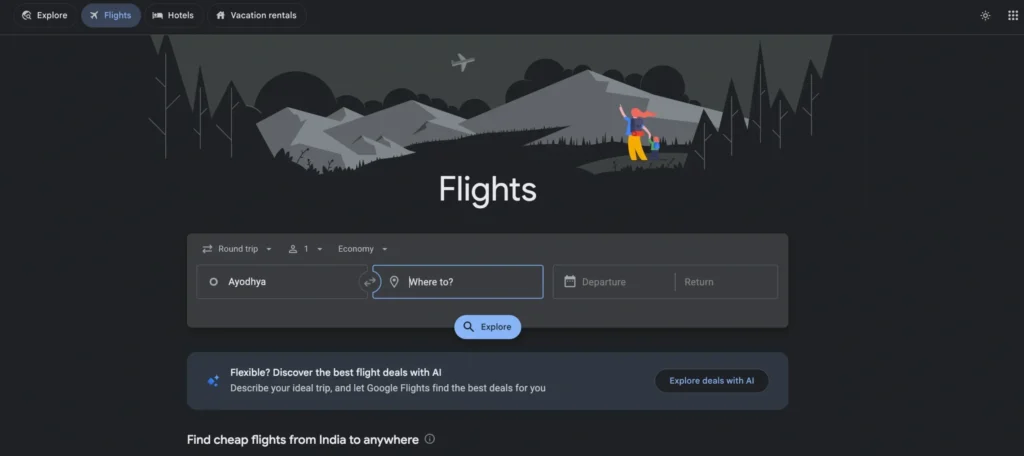
Google Flights is one of the first places I recommend checking when searching for airfare.
It isn’t a traditional online travel agency. Instead, it works primarily as a powerful flight search and comparison tool. You enter your route and travel dates, and it quickly displays options from multiple airlines.
The biggest advantage is speed.
Instead of opening several airline websites, you can compare schedules, fares, stops, airlines, airports, and travel dates from one screen.
Why Google Flights Is So Useful
The calendar is one of its strongest features.
Suppose you want to fly from New York to London but don’t need to leave on an exact date. Google Flights can show how prices change when you move your departure or return date by a few days.
That flexibility can make a surprisingly large difference.
Another useful feature is the Date Grid, which makes it easier to compare combinations of departure and return dates.
You can also use filters for:
- Number of stops
- Airlines
- Airline alliances
- Baggage preferences
- Departure and arrival times
- Trip duration
- Connecting airports
- Maximum price
This makes it easy to remove flights that are technically cheap but inconvenient.
Google Flights Price Tracking
If you’re not ready to book immediately, turn on price tracking.
Google can monitor the selected route and notify you when prices change. This is particularly useful when you’re planning a trip several months ahead.
Instead of checking the same route every morning, you can wait for a meaningful fare movement.
Explore Feature
The Explore tool is another reason Google Flights is excellent for budget travelers.
You can enter your departure city without choosing a specific destination and explore airfare to different places.
For example, instead of searching only for Paris, you might discover that flights to Madrid, Lisbon, or Milan are significantly cheaper during the same period.
That makes Google Flights particularly valuable when your main goal is simply to travel somewhere affordable.
Pros
- Extremely fast flight search
- Excellent date comparison tools
- Useful price tracking
- Powerful filtering options
- Great for flexible travelers
- Easy to compare nearby airports
- Excellent Explore functionality
Cons
- You usually complete the booking elsewhere
- Some smaller airlines or booking providers may not appear
- The cheapest displayed option isn’t automatically the best ticket
Best For
Google Flights is best for travelers who want to quickly understand flight prices before deciding where to book.
2. Skyscanner: Best for Flexible Travelers
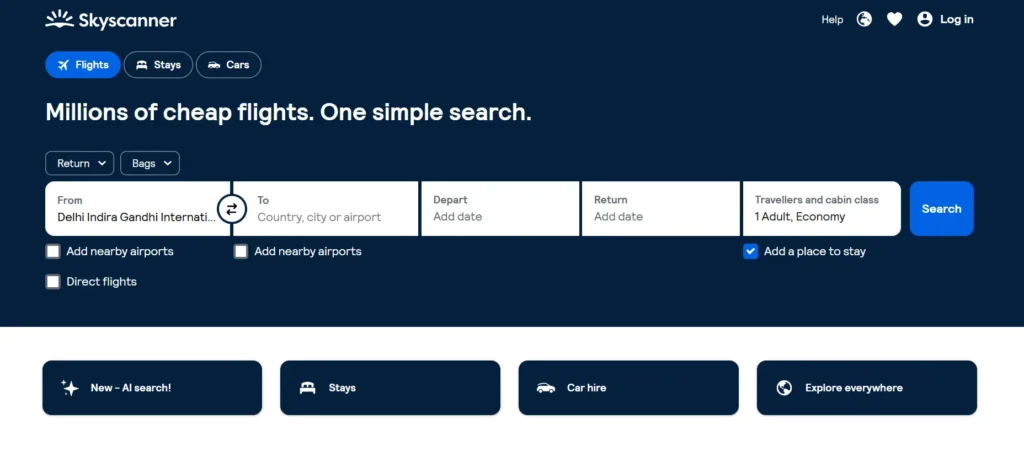
Skyscanner has become one of the most recognizable flight comparison platforms, especially among travelers who don’t have completely fixed plans.
Its biggest strength is flexibility.
You can search normal round trips, one-way flights, multi-city itineraries, flexible dates, and even flexible destinations.
Search “Everywhere”
One of Skyscanner’s most useful tools is its Everywhere destination search.
Instead of entering a destination, choose Everywhere and let Skyscanner show destinations based on available fares.
Imagine you have a week off and want an international vacation, but don’t particularly care whether you visit Bangkok, Bali, Kuala Lumpur, or Singapore.
Rather than searching each destination individually, you can compare possibilities from one search.
Search by Whole Month
Flexible dates can be just as important as flexible destinations.
Skyscanner allows you to look across a month to identify potentially cheaper travel dates.
If Tuesday is significantly cheaper than Saturday, you can adjust your trip before purchasing the ticket.
This is important because airfare depends heavily on demand.
Moving a trip by even one or two days can sometimes reduce the total price.
Price Alerts
Skyscanner also offers fare alerts.
Set an alert for the route you’re considering, and you can receive updates when the price changes.
The feature is particularly useful if you’re watching an expensive long-haul route and aren’t ready to book.
One Important Thing to Check
Skyscanner often compares offers from both airlines and third-party travel agencies.
That creates more choice, but the lowest-priced agency isn’t necessarily the best option.
Before choosing an unfamiliar provider, check:
- Cancellation conditions
- Change fees
- Baggage allowance
- Customer support
- Payment fees
- Recent customer reviews
Paying slightly more to book directly with the airline can sometimes make sense, especially if your plans could change.
Pros
- Excellent flexible-date search
- Everywhere destination option
- Compares numerous travel providers
- Price alerts available
- Useful for international travel
- Good mobile experience
Cons
- Some fares come from third-party agencies
- Booking conditions vary between providers
- The lowest headline fare may have restrictions
Best For
Skyscanner is best for flexible travelers who are open to changing their destination or travel dates to save money.
3. KAYAK: Best for Comparing Multiple Travel Sites

KAYAK is another long-established travel search engine that helps travelers compare flight options across airlines and travel websites.
What makes KAYAK particularly useful is the number of tools available for analyzing a trip before booking.
Instead of simply displaying a list of tickets, it provides features designed to help you determine whether you’re looking at a reasonable fare.
Flexible Date Search
If your travel dates aren’t fixed, KAYAK makes it easy to compare nearby dates.
This can reveal cheaper combinations that you might miss with a standard search.
You can also apply detailed filters to narrow down results according to:
- Price
- Airline
- Number of stops
- Flight duration
- Departure time
- Arrival time
- Airports
- Cabin class
These filters become especially useful on busy international routes where hundreds of possible itineraries may appear.
Price Alerts and Fare Guidance
KAYAK provides price-tracking functionality that can help you monitor airfare.
If you’re researching a trip several weeks or months before departure, creating an alert is generally better than repeatedly searching manually.
The platform may also provide guidance around whether prices appear likely to move, although no prediction system can guarantee future airfare.
Treat fare predictions as useful information rather than a promise.
KAYAK Explore
Like Google Flights and Skyscanner, KAYAK offers an exploration feature.
Enter your starting airport and budget, and you can browse destinations that potentially fit your price range.
It’s useful when the destination isn’t your first priority.
For example, you might have a $500 flight budget and want a beach vacation. Explore tools can help identify destinations that fit the budget before you start planning hotels and activities.
Pros
- Searches multiple travel providers
- Strong filtering tools
- Price alerts
- Flexible date functionality
- Useful destination exploration
- Good for researching complicated routes
Cons
- Some results redirect to third-party websites
- Search results can contain many fare combinations
- Cheap options may have restrictive ticket conditions
Best For
KAYAK is best for travelers who want detailed comparison tools and plenty of control over their flight search.
4. Momondo: Best for Searching Across More Fare Sources

Momondo is worth checking when your goal is to compare airfare across a broad selection of airlines and booking providers.
It works as a travel metasearch engine, bringing together available options so travelers can compare them without manually visiting every provider.
Why Check Momondo?
Flight search engines don’t always display identical results.
One platform might have a particular booking provider, route combination, or fare that doesn’t appear prominently elsewhere.
That’s why Momondo can work well as a second or third comparison search after you’ve already checked Google Flights.
For example, you might identify your preferred itinerary through Google Flights and then search the same route on Momondo to see whether another provider has a competitive offer.
Useful Search Filters
Momondo allows travelers to narrow down results based on factors such as:
- Airlines
- Airports
- Number of stops
- Departure times
- Arrival times
- Flight duration
- Price
Don’t automatically choose the cheapest option at the top of the page.
A ticket that’s $20 cheaper could involve an inconvenient airport transfer, a much longer layover, restrictive baggage rules, or a booking provider you’re unfamiliar with.
Always compare the total travel experience, not just the initial fare.
Pros
- Searches multiple fare sources
- Useful for cross-checking prices
- Strong filtering options
- Helpful for international routes
- Can uncover alternative booking providers
Cons
- Often redirects users elsewhere to book
- Third-party booking conditions vary
- Cheapest options can involve inconvenient itineraries
Best For
Momondo is best used as an additional comparison tool when you want to make sure you haven’t missed a cheaper fare.
5. Expedia: Best for Flight and Hotel Packages

Expedia is different from most of the platforms above because it’s a full online travel agency rather than primarily a flight metasearch engine.
You can search and book:
- Flights
- Hotels
- Vacation packages
- Car rentals
- Activities
That makes Expedia particularly useful when you’re booking several parts of a trip together.
Why Expedia Can Save Money
The cheapest standalone airfare doesn’t always create the cheapest vacation.
Suppose an airline ticket costs $500 when purchased separately and your hotel costs $900.
A flight-and-hotel package might occasionally reduce the combined trip cost.
This isn’t guaranteed, so you should always calculate the total price separately before booking a package.
Expedia Rewards and Member Pricing
Travelers who regularly use Expedia may also benefit from its membership and rewards ecosystem, depending on the booking and destination.
However, don’t allow loyalty rewards to stop you from comparing prices elsewhere.
Saving $10 in future rewards doesn’t make sense if the same trip costs $100 less on another reliable booking channel.
Convenience Is Expedia’s Biggest Advantage
Booking several travel services through one platform can make trip management easier.
You may have your hotel, flight, car rental, and activities organized through the same account.
That’s useful for travelers who value convenience alongside price.
Pros
- Flights and hotels in one place
- Package booking options
- Rewards and member benefits
- Large selection of travel products
- Convenient trip management
Cons
- Standalone flights aren’t always the cheapest
- Third-party booking can complicate some changes
- Package terms need careful review
Best For
Expedia is best for travelers who want to compare the total cost of flights and accommodation rather than airfare alone.
Which Cheap Flight Website Should You Use?
Choosing the right website depends on the type of trip you’re planning.
| Traveler Type | Best Choice |
|---|---|
| Want the fastest airfare comparison | Google Flights |
| Flexible about destination | Skyscanner |
| Want advanced search filters | KAYAK |
| Want to cross-check more providers | Momondo |
| Booking flight + hotel together | Expedia |
You don’t need to choose only one.
In fact, relying on a single website is one of the easiest ways to miss a better flight.
A practical workflow is:
- Start with Google Flights to understand normal prices.
- Check Skyscanner for alternative dates and providers.
- Compare the itinerary on KAYAK or Momondo.
- Check the airline’s official website.
- Compare Expedia if you also need accommodation.
- Calculate the final price after baggage, seat, and payment charges.
- Book whichever reliable option provides the best overall value.
This takes slightly longer, but the savings can be worthwhile, especially for expensive international flights.
Pro-Tips for Finding Cheaper Flights
Finding cheap airfare isn’t just about choosing the right website. How you search matters too.
1. Be Flexible With Your Travel Dates
This is one of the most effective strategies.
Compare several departure and return dates instead of searching for one exact combination.
Flying a day earlier or later can sometimes produce a noticeably lower fare.
2. Compare Nearby Airports
Major cities often have several airports.
Searching nearby departure and arrival airports can uncover cheaper routes.
Just remember to calculate transportation costs.
Saving $40 on airfare doesn’t help much if reaching the alternative airport costs an additional $60.
3. Set Price Alerts Early
If your trip is months away, don’t depend on memory.
Set alerts on Google Flights, Skyscanner, or KAYAK and monitor the route.
You’ll have a much better idea of whether the current price is high or reasonable.
4. Don’t Assume Round Trips Are Always Cheaper
Sometimes purchasing two one-way flights can produce a better itinerary or price.
You might even use different airlines in each direction.
Compare both options before booking.
5. Check the Airline Website
Once you’ve found a good fare through a comparison website, check the same itinerary directly with the airline.
If the price is similar, direct booking can be attractive because you deal directly with the airline if something goes wrong.
6. Look at the Final Price
A $200 ticket isn’t necessarily cheaper than a $230 ticket.
The $200 fare might charge separately for:
- Checked baggage
- Cabin baggage
- Seat selection
- Meals
- Payment methods
Compare the final amount you will actually pay.
7. Don’t Wait Forever for the Perfect Price
Trying to predict the absolute lowest airfare is almost impossible.
Prices change according to demand, availability, route, season, competition, and airline pricing systems.
If you find a fare that fits your budget and the trip is important, booking a reasonable price can be better than waiting indefinitely for a small additional discount.
Common Mistakes to Avoid When Booking Cheap Flights
Cheap airfare can become expensive when important details are overlooked.
One common mistake is choosing an extremely long itinerary just to save a small amount. Saving $30 isn’t always worth adding eight hours to your journey.
Another mistake is ignoring airport names.
Some low-cost airlines operate from secondary airports located far outside the city center.
Also pay attention to self-transfer itineraries.
If separate tickets are involved, you may need to collect baggage, clear immigration, check in again, and pass through security. If the first flight is delayed, the second airline may not be responsible for your missed connection.
Finally, always check cancellation and change rules before paying.
The cheapest ticket usually comes with the least flexibility.
FAQs About the Best Websites for Cheap Flights
1. What is the best website for finding cheap flights?
Google Flights is one of the best starting points because it offers fast searches, excellent date comparisons, filters, price tracking, and destination exploration.
However, you should also compare Skyscanner, KAYAK, or Momondo before booking.
2. Is Skyscanner cheaper than Google Flights?
Neither platform is guaranteed to always show a cheaper flight.
They search and present airfare differently and may include different booking providers. It’s worth checking both for expensive trips.
3. Is it cheaper to book directly with an airline?
Sometimes.
Airlines don’t always offer the lowest displayed fare, but direct booking may provide simpler support when you need to change or cancel a ticket.
Compare the final price and conditions before deciding.
4. What day is cheapest to book flights?
There isn’t one universal day when flights are always cheapest.
Airline pricing changes continuously according to demand, seat availability, route, season, and other factors.
Flexible travel dates usually matter more than trying to book on a particular weekday.
5. How far in advance should I book flights?
It depends on the route and travel season.
Popular holiday periods and international routes often deserve earlier planning. Instead of relying on one fixed booking window, begin tracking prices early and compare how the fare changes.
6. Are cheap flight websites safe?
Major platforms such as Google Flights, Skyscanner, KAYAK, Momondo, and Expedia are widely used.
However, metasearch engines may send you to third-party travel agencies.
Always check the company you’re actually paying before entering payment information.
7. Should I use incognito mode to find cheaper flights?
There’s no reliable guarantee that simply switching to incognito mode will produce a lower airfare.
Your time is better spent comparing dates, airports, airlines, and multiple flight search engines.
8. Should I book the cheapest flight I find?
Not automatically.
Check baggage allowances, flight duration, layovers, airport location, cancellation rules, and the reputation of the booking provider.
Sometimes paying slightly more provides significantly better value.
Final Thoughts: Start Comparing Before You Book
Finding cheap airfare doesn’t require spending hours opening every airline website you can think of.
The key is knowing which tools to use and how to compare their results.
Google Flights is my preferred starting point because its calendar, filters, price tracking, and Explore features make airfare research simple.
Skyscanner is excellent when you’re flexible about dates or destinations, while KAYAK offers powerful comparison tools. Momondo is useful for cross-checking additional fare sources, and Expedia deserves a look when you’re booking flights and accommodation together.
Most importantly, don’t judge a flight only by the number displayed in the search results.
Check baggage fees, airport locations, layovers, ticket restrictions, and the final checkout price. Then compare that fare with the airline’s own website.
The cheapest flight isn’t always the one with the lowest advertised price. The best deal is the flight that gives you the right balance of price, schedule, convenience, and booking protection.
So before booking your next trip, open a few of these flight search websites, compare your dates, set a price alert if you have time, and see how much you can save.