
Introduction
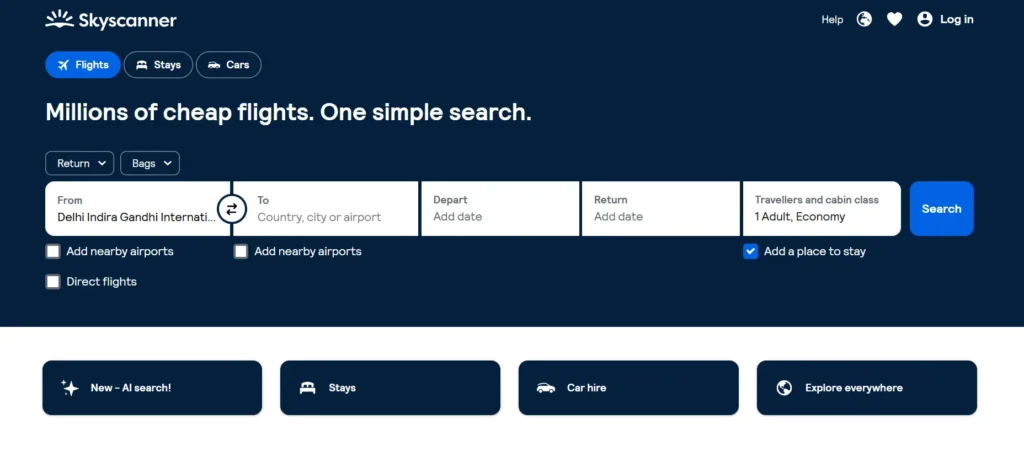
Finding a cheap flight sounds simple until you open five airline websites, three online travel agencies, and several comparison tools, only to discover different prices for what appears to be the same journey. Skyscanner was built to solve exactly this problem.
Launched in 2003, Skyscanner began as a flight comparison service designed to bring different airfare options into one searchable interface. It later expanded into car rentals and hotels, while also incorporating selected rail options in some markets. In 2016, Ctrip, now known as Trip.com Group, acquired Skyscanner in a deal valued at approximately £1.4 billion.
Today, Skyscanner operates primarily as a travel metasearch engine. Instead of selling every ticket itself, it searches prices from airlines, online travel agencies, hotels, and car rental companies and helps users compare their options. Skyscanner says its platform searches billions of travel prices, and its partner site reports more than 160 million monthly users across its website and app.
Its core services include:
- Flight comparison
- Hotel search
- Car rental comparison
- Selected rail options in some countries
- Flexible destination discovery
- Price tracking and fare alerts
One important clarification is that Skyscanner is not primarily a traditional online travel agency. In many cases, once you select an offer, you are transferred to the airline or travel provider to complete your purchase.
That distinction matters because your booking conditions, payment method, refund process, and customer support can ultimately depend on the company you select through Skyscanner.
For budget backpackers, flexible travelers, international flyers, and anyone comparing complicated routes, Skyscanner remains one of the most useful starting points for travel research.
Core Features and Booking Experience
User Interface and Mobile App Usability
Skyscanner’s biggest strength is simplicity.
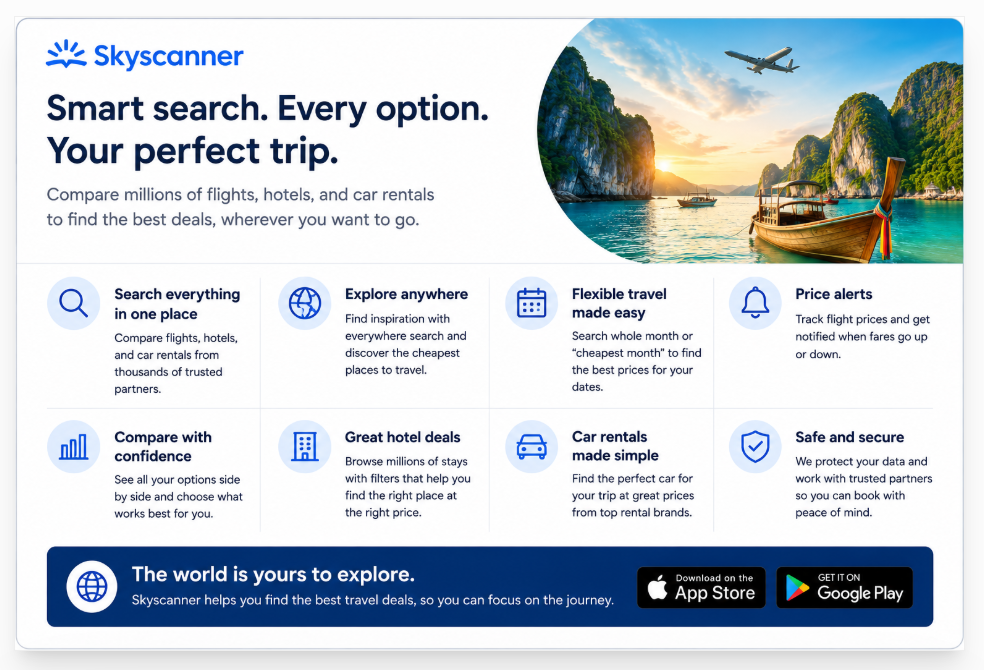
The homepage does not overwhelm you with dozens of promotional banners. Instead, you can quickly enter your departure location, destination, dates, passenger count, and cabin class.
Users who do not know where they want to travel can choose Everywhere rather than entering a specific destination. This is particularly useful for travelers whose priority is price rather than location.
The results interface provides filters for factors such as:
- Number of stops
- Departure and arrival times
- Airlines
- Trip duration
- Airports
- Price
- Cabin class
- Booking provider
Skyscanner is available through desktop and mobile web, while its app adds convenient mobile access to saved trips and Price Alerts.
The mobile experience is especially useful for travelers monitoring fares over several weeks. Instead of manually performing the same search every morning, you can save a route and receive notifications when prices move.
Booking Flow and Search Filters
A typical Skyscanner flight search follows a straightforward process:
- Enter your departure airport or city.
- Select your destination or choose Everywhere.
- Choose fixed or flexible dates.
- Select passengers and cabin class.
- Search available fares.
- Apply filters.
- Select your preferred itinerary.
- Compare available booking providers.
- Continue to the selected airline or travel agency.
- Complete payment with that provider.
This last step is critical.
Skyscanner generally acts as the discovery and comparison layer, while the selected travel company handles the actual transaction. Skyscanner confirms that payment methods are determined by the airline or travel provider rather than Skyscanner itself.
This approach gives travelers considerable choice, but it also introduces one of Skyscanner’s main disadvantages: not every provider offers the same customer service quality or booking conditions.
Unique Selling Propositions (USPs) and Special Features
Skyscanner becomes particularly valuable when your travel plans are flexible.
Everywhere Search
Instead of searching London to Rome, for example, you can search London to Everywhere.
Skyscanner then presents destinations based largely on available fares. For budget travelers who simply want an affordable holiday, this can uncover destinations they may never have considered.
Whole Month and Cheapest Month
Rather than checking individual dates manually, flexible-date tools help identify cheaper travel days.
Skyscanner notes that some prices shown in its Month View are estimates based on fares recently found by users, so they can change when you perform the final live search.
Price Alerts
Set an alert for a route and Skyscanner monitors price changes and sends notifications when fares change.
It is particularly useful when:
- Booking international flights months ahead
- Monitoring expensive long-haul routes
- Waiting for a fare reduction
- Comparing school-holiday pricing
- Planning travel without an urgent booking deadline
Nearby Airports
Flying from or into another airport can sometimes reduce airfare significantly.
Skyscanner makes nearby-airport searching relatively easy, which is particularly useful in regions with multiple major airports.
Comprehensive Feature & Service Breakdown
| Feature | Platform Availability | Best Use Case | Standout Capability |
|---|---|---|---|
| Flight Search | Web & App | Comparing airline fares | Searches a very large provider network |
| Everywhere Search | Web & App | Flexible travelers | Finds inexpensive destinations from your origin |
| Whole/Cheapest Month | Web & App | Flexible dates | Quickly identifies lower-priced travel periods |
| Price Alerts | Web & App | Monitoring airfare | Notifications when tracked fares change |
| Hotel Search | Web & App | Accommodation comparison | Compare multiple hotel offers |
| Car Rental Search | Web & App | Airport and destination rentals | Provider and vehicle comparison |
| Nearby Airports | Web & App | Budget flight hunting | Expands airport options |
| Flexible Flight Search | Web & App | Backpackers and leisure travelers | Makes date flexibility easy to evaluate |
| Rail Options | Selected markets | Lower-impact alternatives | Selected rail journeys can appear in searches |
| Saved Trips | Account/App | Repeat trip research | Keeps travel research organized |
Skyscanner says it compares offers from more than 1,200 airlines and travel providers on its flight platform.
However, travelers should understand that Skyscanner itself acknowledges that it does not compare every provider in the market. Therefore, it should be viewed as an extremely useful comparison tool rather than a guarantee of finding every fare available online.
Pricing, Hidden Fees, and Loyalty Programs
Transparency in Pricing and Payment Options
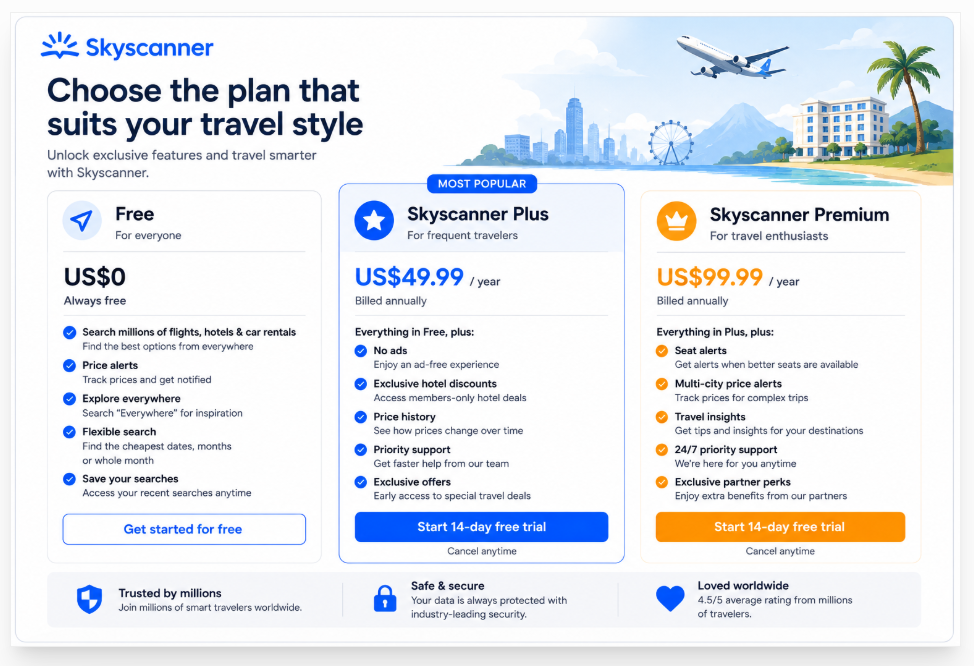
Using Skyscanner to search is free for travelers.
Skyscanner generally earns money when travel providers pay commissions or referral fees after users select offers through its platform. The company states that it does not pass this referral cost directly to users.
| Cost Area | Skyscanner’s Role | Potential Additional Cost |
|---|---|---|
| Search Fee | Free | None |
| Skyscanner Booking Fee | Generally none for comparison | Provider-dependent |
| Checked Baggage | Display/comparison information | Airline-dependent |
| Seat Selection | Provider-dependent | Often extra |
| Card/Payment Fees | Provider-controlled | May vary |
| Flight Changes | Provider-controlled | Fare rules + possible fees |
| Cancellation | Provider-controlled | Depends on ticket |
| Currency Conversion | Bank/provider-controlled | Possible FX charges |
| Car Rental Extras | Rental provider-controlled | Insurance, fuel, extras, etc. |
This creates an important distinction between Skyscanner fees and provider fees.
Skyscanner may display a cheap headline fare, but optional services or restrictions attached to the fare can still affect the final cost.
Another potential frustration is price movement.
Airfare changes constantly. A price seen in a Price Alert, flexible-date calendar, or earlier search may disappear by the time you attempt to book. Skyscanner itself explains that airfare availability can change rapidly and some flexible-date prices are estimates rather than guaranteed live fares.
Therefore, always verify the final checkout total before paying.
Reward System and Loyalty Benefits Breakdown
Skyscanner is not designed around a major points-based loyalty program comparable to an airline frequent-flyer scheme.
There is no universal Skyscanner currency that meaningfully replaces airline miles or hotel points.
Instead, its value comes from price discovery and comparison.
This can actually benefit loyalty-focused travelers because Skyscanner may identify a suitable fare before directing them to an airline. If the fare is eligible, travelers may still be able to earn airline miles according to the airline’s fare rules.
The practical strategy is:
- Use Skyscanner to identify the best route.
- Compare the airline’s direct price with third-party prices.
- Check whether loyalty benefits apply.
- Consider booking directly if the difference is small.
Cancellation, Refund, and Customer Support Policies
This is arguably the most important part of our Skyscanner review.
If you book with an airline or third-party provider discovered through Skyscanner, that company normally controls your booking.
Skyscanner’s current support documentation states that changes, cancellations, and refunds generally need to be handled by the travel provider that manages the reservation.
That means Skyscanner cannot simply override an airline or travel agency’s cancellation conditions.
For example, if you purchase a restrictive economy ticket through an online agency and later want to change the date, you may face:
- Airline change fees
- Agency service fees
- Fare differences
- Restrictions on modifications
- Longer refund processing
This is why travelers should evaluate the booking provider, not simply the fare.
Deep-Dive Analysis: Pros and Cons
Key Advantages (Pros)
- Excellent flexible search tools: Skyscanner’s Everywhere and Cheapest Month features are genuinely useful. Instead of forcing you to decide exactly where and when to travel, the platform can help you build a trip around the cheapest available options.
- Huge travel search ecosystem: Comparing a large number of airlines and travel companies from one interface can save considerable research time.
- Free to use: Travelers do not need a paid membership simply to access Skyscanner’s core comparison tools.
- Strong Price Alerts: Price tracking is useful for expensive routes where airfare may fluctuate substantially over several weeks.
- Great for international travel: Skyscanner performs particularly well when researching international routes involving different airlines, airports, and potential connections.
- Useful mobile application: Saved searches and fare notifications make the app practical for people who frequently monitor airfare.
- Good destination discovery: Everywhere Search transforms Skyscanner from a simple comparison site into a useful travel inspiration tool.
- Hotels and cars in the same ecosystem: Users can research more than flights without moving between several unrelated comparison websites.
Major Drawbacks and Limitations (Cons)
- Third-party booking risks: The cheapest result may come from an online travel agency rather than the airline. If something goes wrong, you may need to deal with that agency instead of Skyscanner.
- Customer support can become fragmented: When Skyscanner sends you to another company, Skyscanner may not have direct access to that booking. Its support pages specifically tell customers to contact their booking provider for many reservation problems.
- Prices can change: Flexible-date and alert prices are not always guaranteed. Live inventory can change within a short period.
- Cheapest does not always mean best: A fare that saves $30 but introduces restrictive baggage rules, difficult customer support, or expensive modification fees may offer poor overall value.
- No major universal loyalty program: Frequent users do not build a valuable Skyscanner-specific points balance simply by searching and booking trips.
- Not every travel provider is included: Skyscanner openly notes that its search results are not exhaustive.
- Responsibility can be confusing: Less experienced travelers may think they have purchased “from Skyscanner” when their actual contract is with another travel company.
Recent traveler discussions reflect this distinction. Users commonly regard Skyscanner itself as legitimate and useful for finding flights, while concerns tend to focus on the specific third-party agency selected after the search.
Detailed Comparison Matrix
Skyscanner competes most directly with other metasearch platforms such as Google Flights, KAYAK, and momondo.
| Parameter | Skyscanner | Google Flights | KAYAK | momondo |
|---|---|---|---|---|
| Flight Comparison | Excellent | Excellent | Excellent | Excellent |
| Flexible Destination Search | Excellent | Excellent | Excellent | Good |
| Price Alerts | Yes | Yes | Yes | Yes |
| Hotel Search | Yes | Google Travel ecosystem | Yes | Yes |
| Car Rentals | Yes | Available via Google Travel | Yes | Yes |
| Mobile App | Yes | Primarily Google ecosystem | Yes | Yes |
| Global Coverage | Excellent | Excellent | Excellent | Very Good |
| Direct Customer Support for Booking | Provider-dependent | Provider-dependent | Provider-dependent | Provider-dependent |
| Cancellation Ease | Depends on provider | Depends on provider | Depends on provider | Depends on provider |
| Best For | Flexible budget travel | Fast flight research | Advanced travel planning | Deal comparison |
Google Flights provides flexible-date tools, Explore functionality, and route-specific price tracking. KAYAK similarly offers Price Alerts, flexible-date searches, price calendars, and itinerary-management features through KAYAK Trips.
Skyscanner’s biggest competitive advantage remains the combination of simple search, Everywhere discovery, flexible dates, and extensive global travel-provider coverage.
Is Skyscanner Safe and Legit?
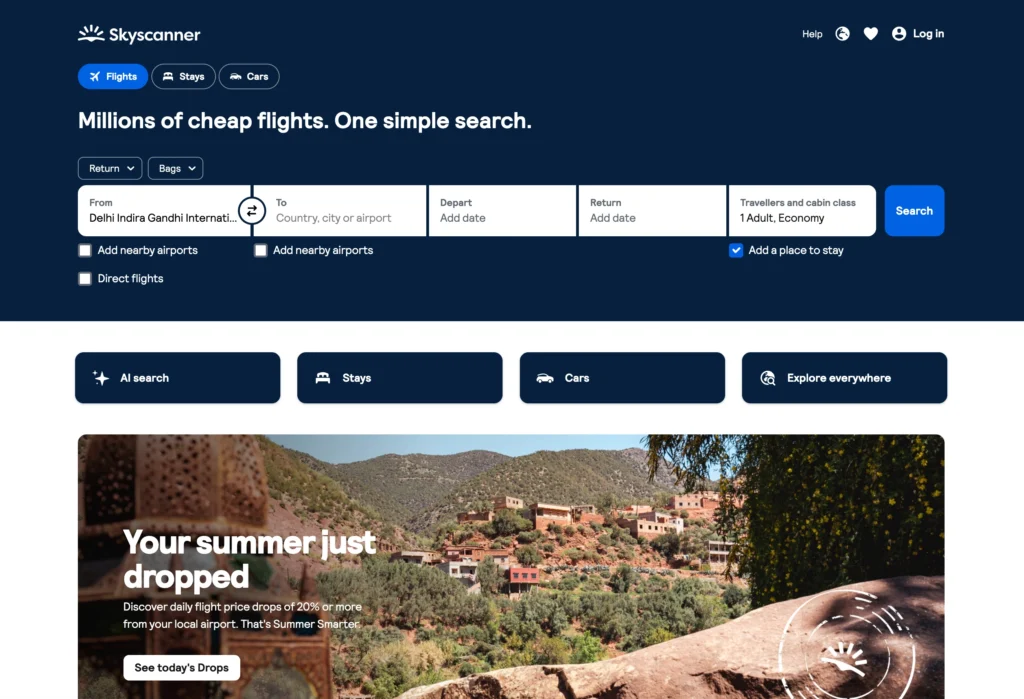
Yes. Skyscanner is a legitimate, established travel search company that has operated since 2003 and has been owned by Trip.com Group since 2016.
But asking “Is Skyscanner safe?” misses an important detail.
The better question is:
Is the company I am booking with through Skyscanner reliable?
When Skyscanner redirects you to an airline or online travel agency, that provider usually processes your payment and manages the reservation.
This is why two travelers using Skyscanner can have completely different experiences.
One might find a British Airways flight and book directly with British Airways.
Another might select the cheapest offer from an unfamiliar online travel agency.
Both discovered their flights through Skyscanner, but their post-booking customer service experience could be very different.
For safer booking:
- Check who is actually selling the ticket.
- Compare the OTA price with the airline’s direct price.
- Read baggage conditions carefully.
- Check cancellation and modification rules before paying.
- Confirm the final currency and total price.
- Save your booking confirmation immediately.
- Verify the reservation with the airline after booking.
- Consider paying slightly more to book directly for complicated or expensive itineraries.
A useful rule is that if a third-party agency saves only a small amount, direct airline booking may be worth the extra money.
For example, saving $15 on a $900 international ticket is unlikely to justify additional complexity if your flight gets cancelled.
Saving $250, however, creates a more meaningful trade-off. At that point, research the provider carefully before deciding.
Quick Verdict
- Ideal for: Budget travelers, flexible travelers, backpackers, international flyers, and anyone comparing multiple routes.
- Avoid if: You expect Skyscanner itself to manage every cancellation, refund, or ticket modification.
- Best feature: Everywhere Search combined with flexible-date pricing and Price Alerts.
- Overall Score: 8.8/10 for travel research and price comparison.
Final Verdict
After evaluating its search experience, pricing tools, provider model, flexibility, and potential drawbacks, Skyscanner remains one of the strongest travel comparison tools available in 2026.
Its biggest advantage is not simply that it finds cheap flights.
The real value is the freedom it gives travelers to search differently.
Traditional airline websites work best when you already know where you are going and when you want to travel. Skyscanner works particularly well when those details are flexible.
If your question is:
“Where can I travel cheaply next month?”
Skyscanner is excellent.
If your question is:
“Which dates are cheapest for my trip?”
It is equally useful.
And if you already know the exact flight you want, Skyscanner can still help you compare the price offered by the airline against prices from competing travel agencies.
The biggest weakness is what happens after the search.
Skyscanner can help you discover an excellent fare, but the cheapest provider is not automatically the best provider. Booking an expensive international itinerary through an unfamiliar agency simply to save a small amount can create unnecessary complications if you later need a cancellation, refund, name correction, or schedule change.
For that reason, the best way to use Skyscanner is as a powerful research and comparison engine first.
Find the best route. Identify the cheapest dates. Compare providers. Set Price Alerts if necessary. Then investigate who is actually selling the ticket before entering your payment details.
For low-risk, straightforward trips, a reputable third-party provider may offer worthwhile savings. For expensive journeys, complicated connections, family travel, or trips likely to change, paying slightly more to book directly with the airline can provide greater peace of mind.
Ultimately, Skyscanner deserves its strong reputation because it solves one of travel planning’s most frustrating problems: understanding your options without manually searching dozens of websites.
It does not guarantee that every fare will be the cheapest, nor does it remove the risks associated with third-party travel agencies. But used intelligently, it can save both time and money.